
Google Chrome
When the download is complete, click the "FLSPro.exe" button at the bottom of your screen.

Run the installer, accept the license agreement, and click install.
Firefox
Click "Save File" on the dialog that appears.
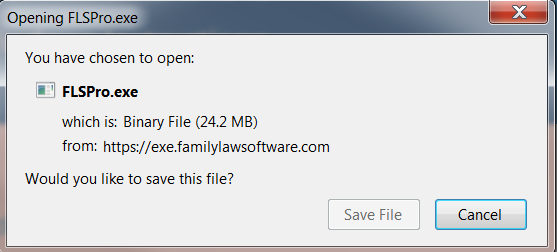
When the download is complete, click the "FLSPro.exe" button in the upper-right-hand corner.
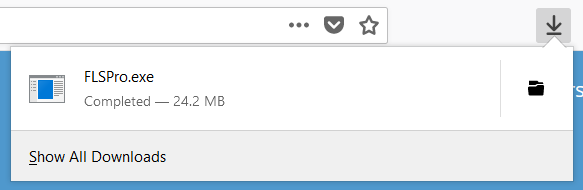
Run the installer, accept the license agreement, and click install.
If you have problems with the download, please contact technical support.
If you are installing for the first time, you may see a message that the program cannot identify the developer. Follow the steps below:
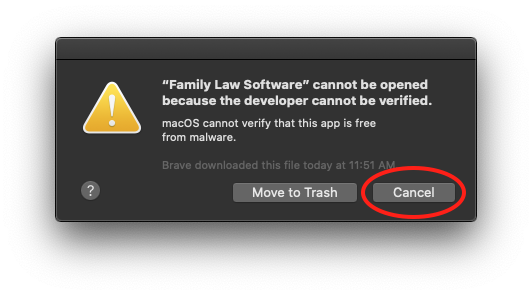
Click OK (or Cancel), then go to System Preferences.
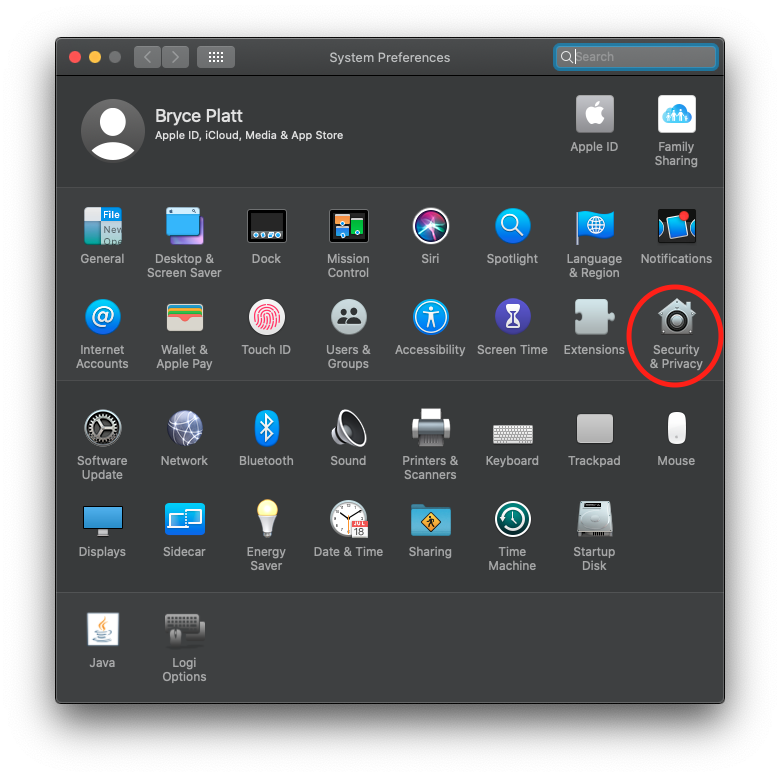
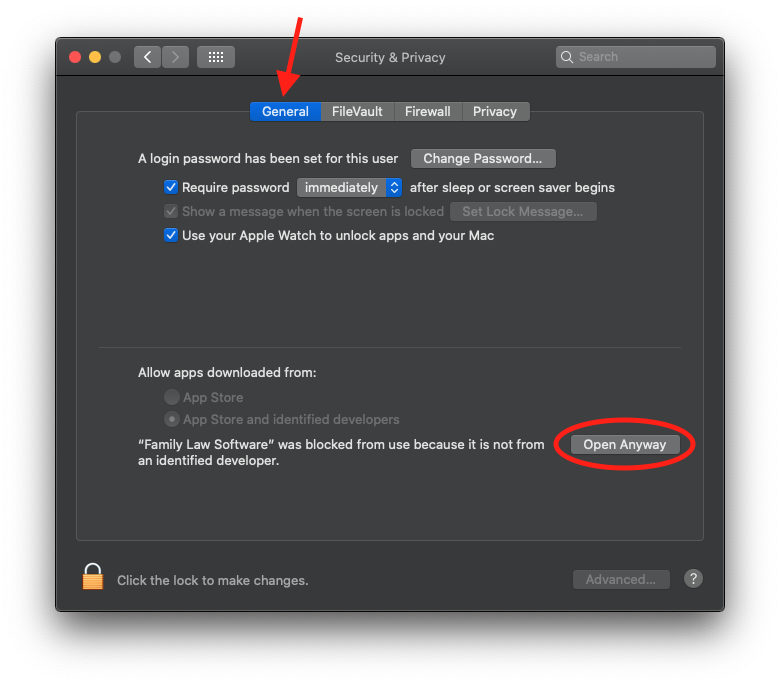
Click on Security & Privacy:
Click the Open Anyway button under the General Tab.
Click Open on the confirmation dialog.
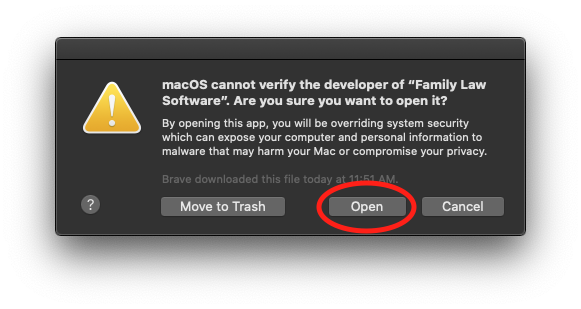
You can now use Family Law Software.
The file size is around 350MB. When the download completes:
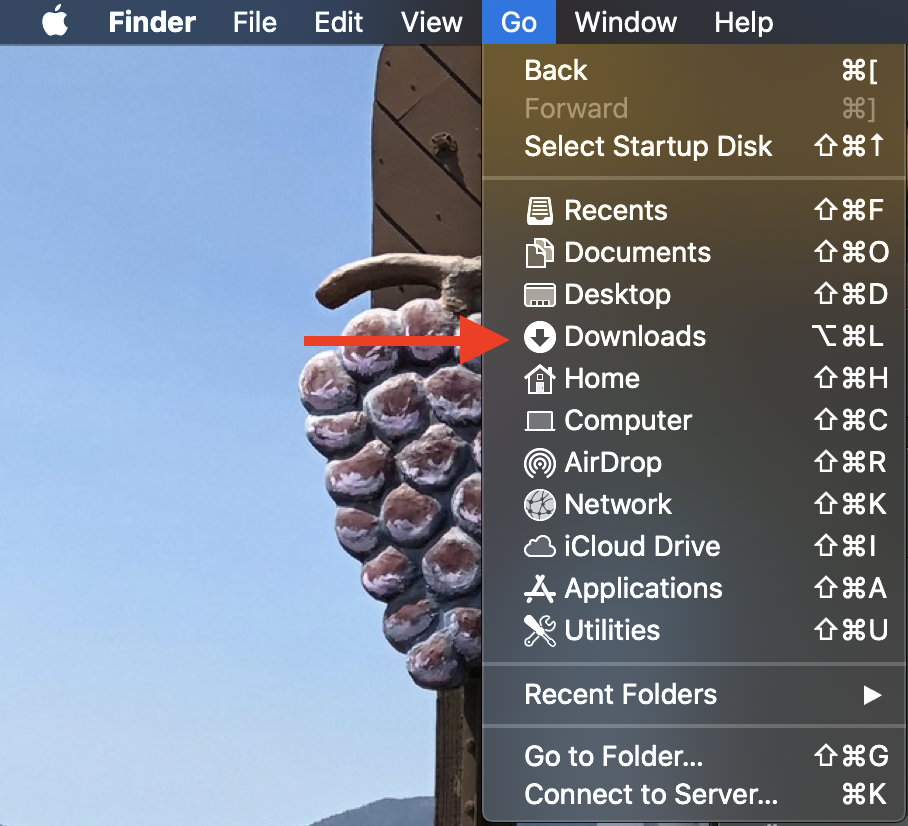
Locate FLSMac.dmg in Downloads. Check your Finder's Go menu if needed. 
MINIMIZE YOUR BROWSER by clicking the  (yellow button).
Drag the Family Law Software icon onto Applications:
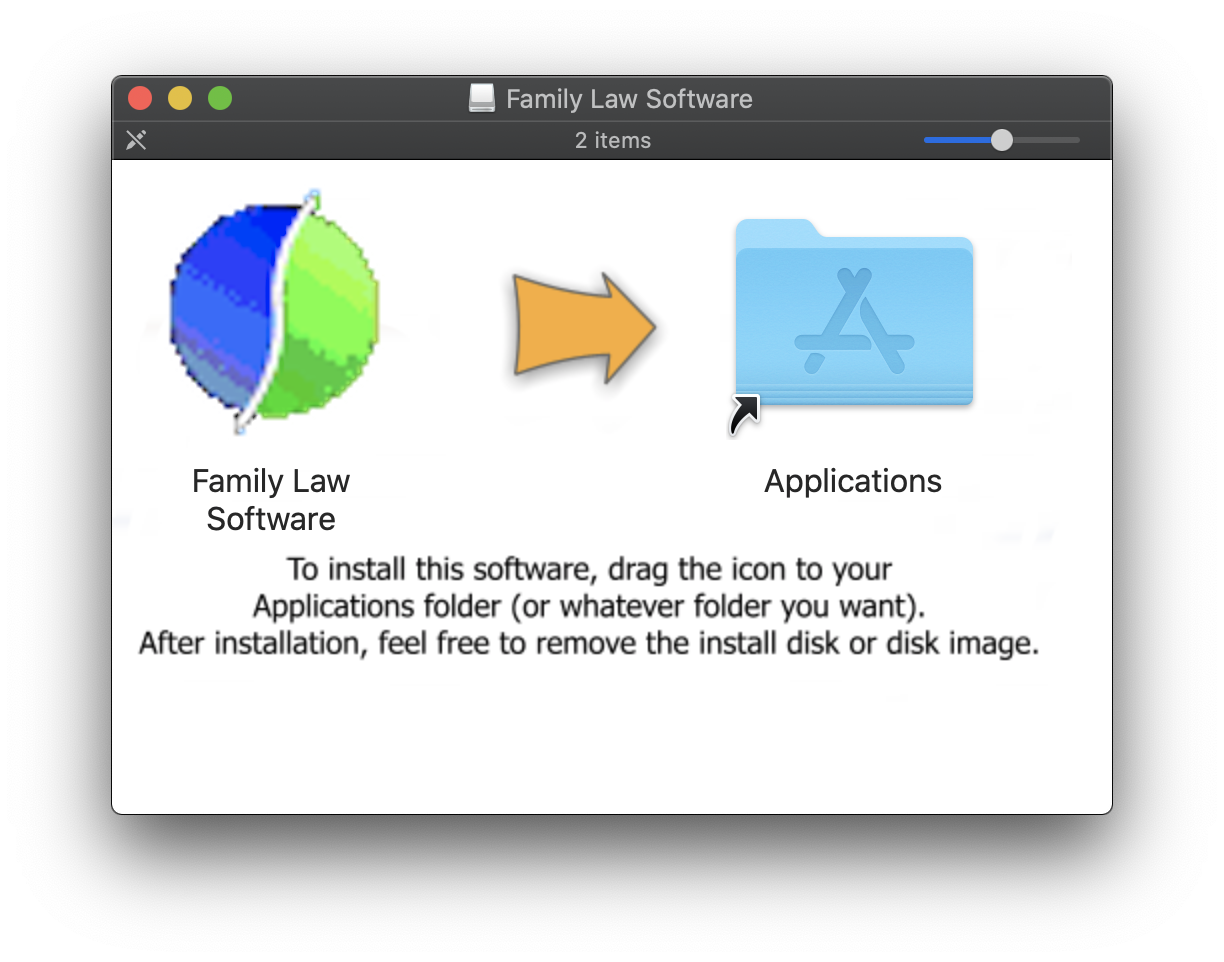
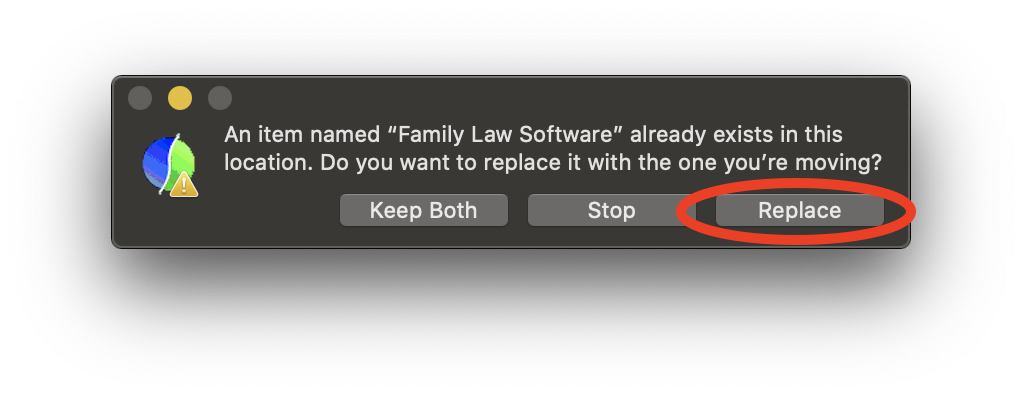
Click "Replace" if prompted:
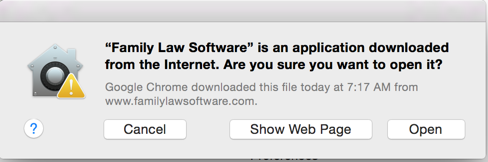
Click "Open" when starting:
Requirement: Mac OS 10.7 or later.
You may see the screen shown below when you install the Windows download.
There is no virus or malware in Family Law Software. This has been confirmed by Microsoft.
Here are the steps to safely install the app:
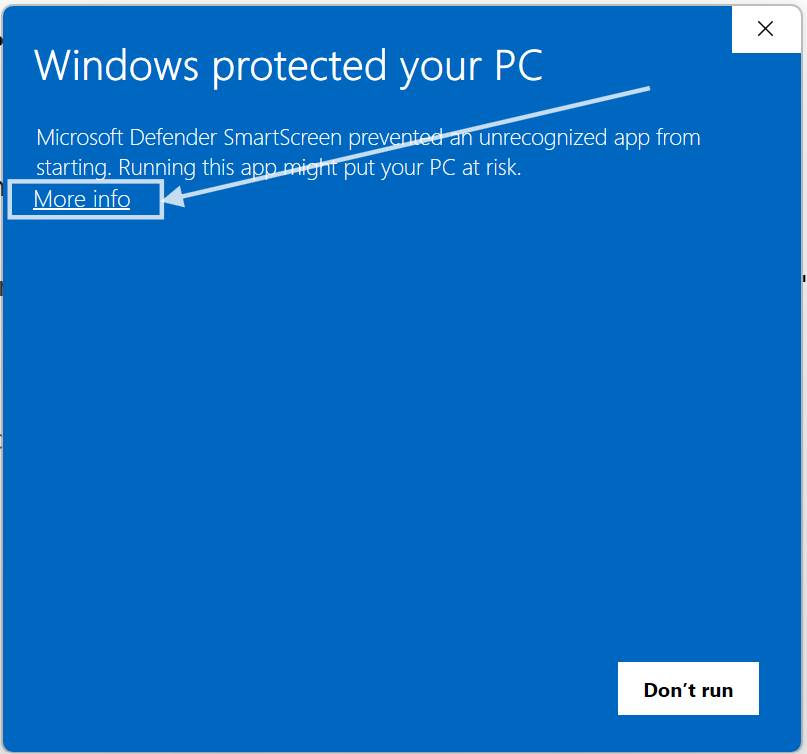
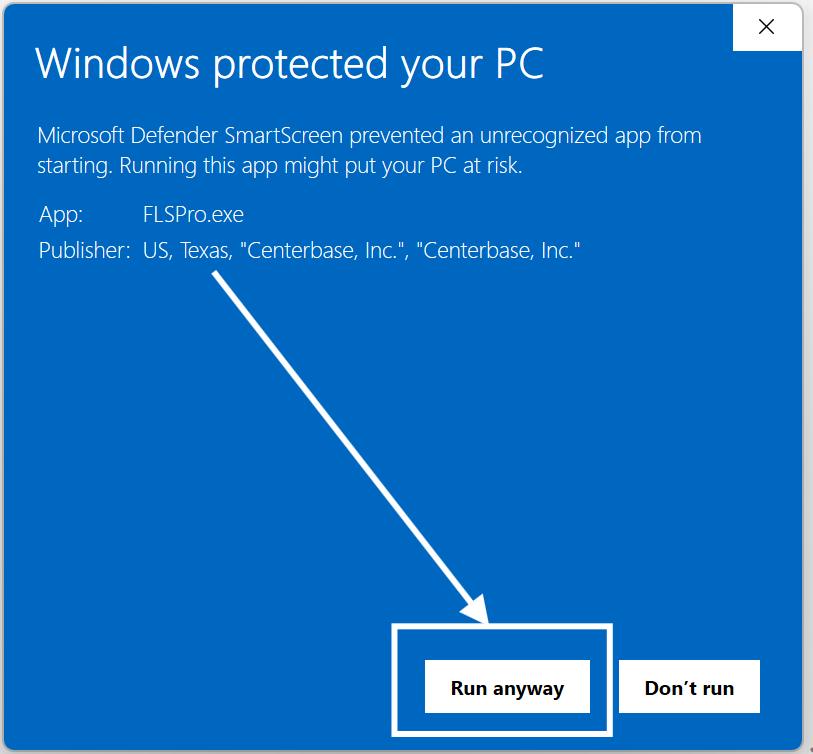
Again, this is perfectly safe.
The error is on Microsoft's part, not recognizing the validation code that is correctly built into the installer.
The app itself is fine, and your PC will not be harmed.
To prevent this message in the future:
In your Taskbar, in the "Search" area, type "cmd" for command prompt.

In the pop-up that appears, on the right, select "Run as administrator"
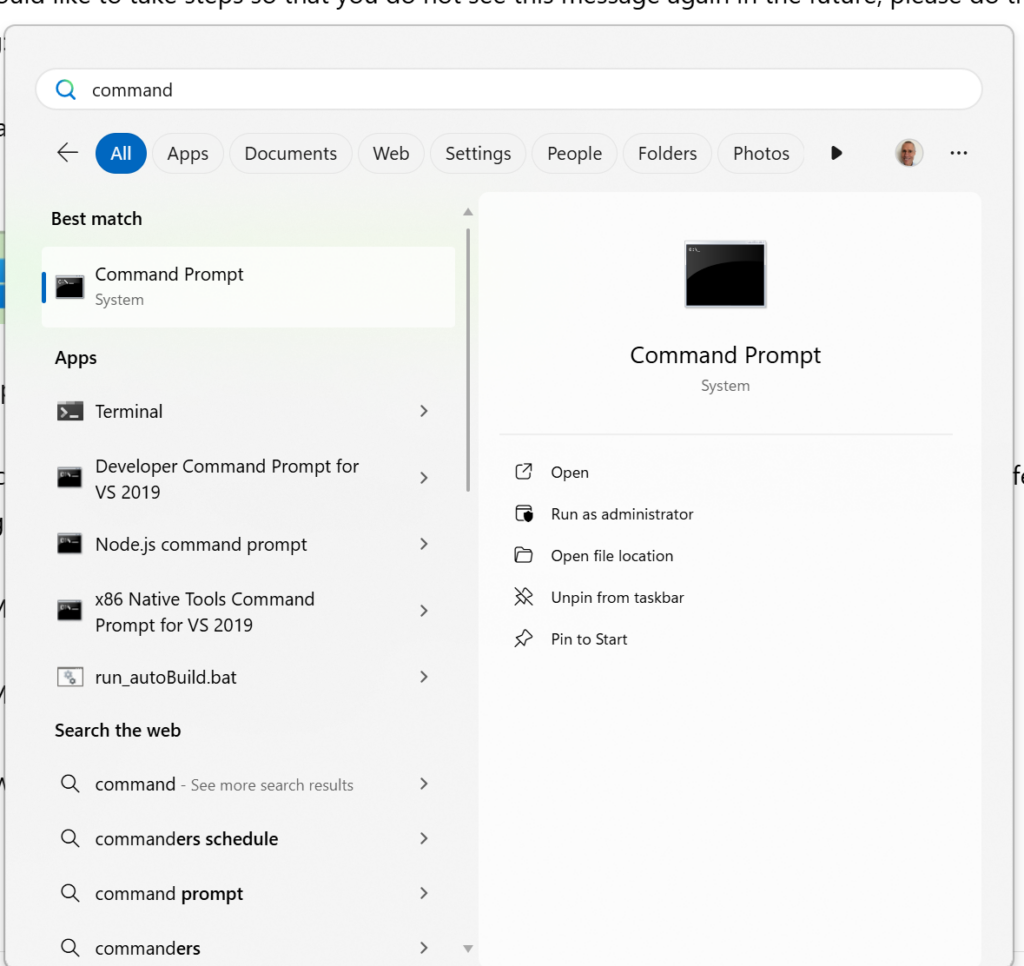
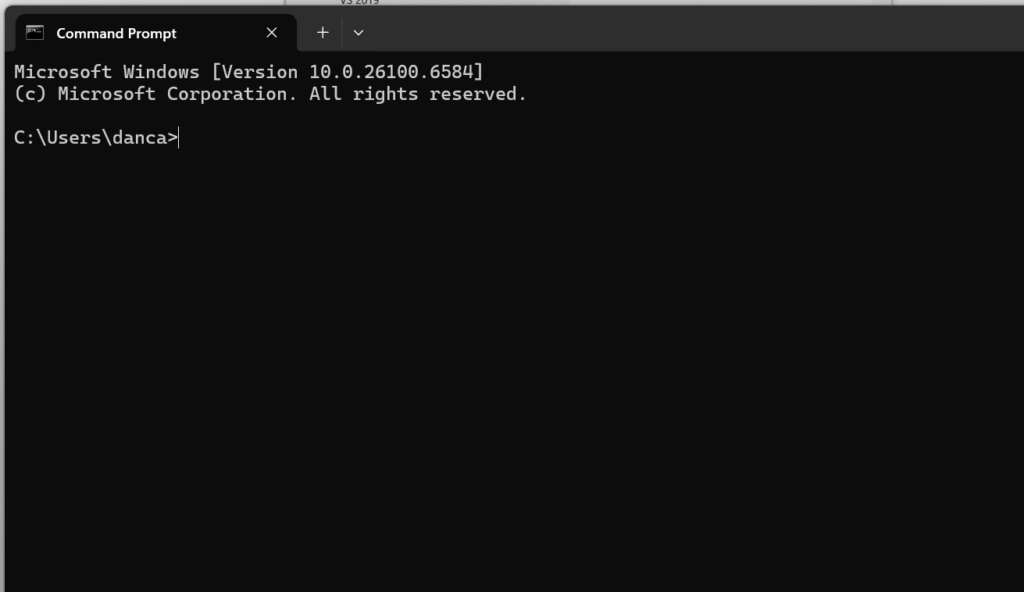
Type these commands:
cd c:\Program Files\Windows Defender
MpCmdRun.exe -removedefinitions -dynamicsignatures
MpCmdRun.exe -SignatureUpdate
About
For Clients
For Subscribers